FiberNet
Fiber-network generation, analysis, and mechanical modeling
Connect network generation, structural analysis, and mechanical modeling in Python. Use FiberScope to inspect, configure, and export networks on the desktop.
Python library
FiberNet represents structures through nodes and edges, connecting generation, analysis, simulation, and export in reusable Python workflows.
- Generate 2D and 3D structures and manage nodes, edges, and fiber radii.
- Analyze planar snapshots, pore distributions, and tensile recruitment on supplied trajectories.
- Use beam-frame FEM and additional computational backends installed as needed.
- Save native graphs and results for analysis with the provided examples.
FiberScope desktop interface
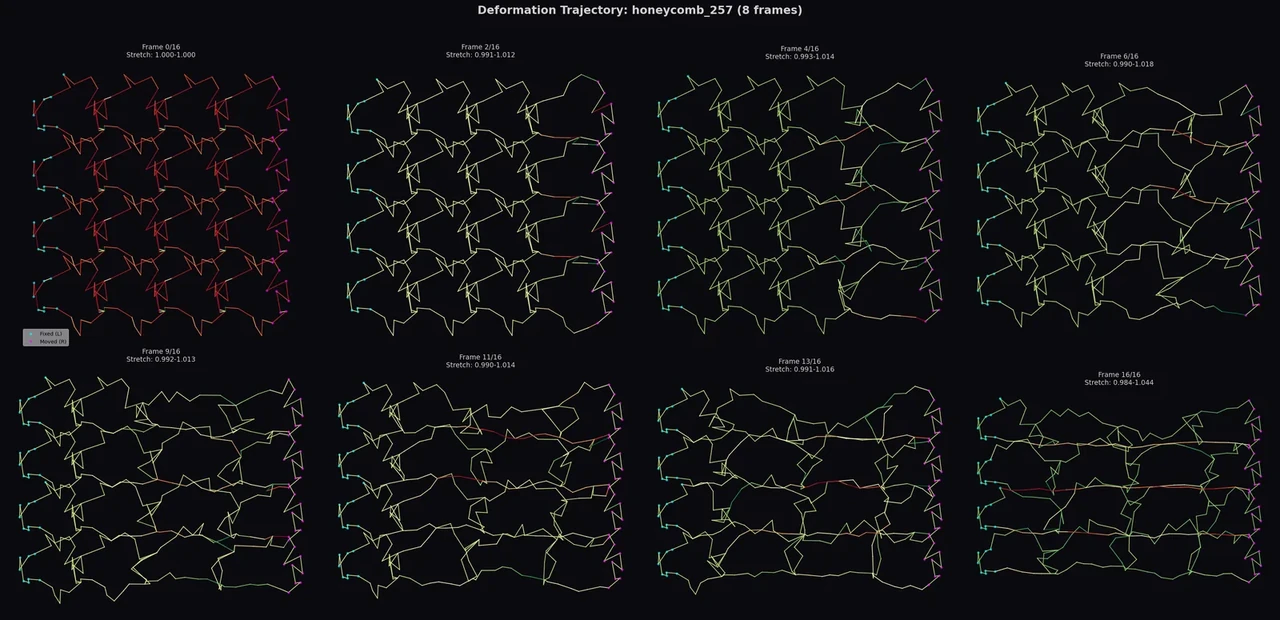
FiberScope 3.1.0 supports geometry configuration, structural inspection, trajectory playback, and export. The Windows download includes its runtime.
Install 4.2.0
The core installation includes NumPy, SciPy, NetworkX, and Matplotlib. Add machine-learning, 3D visualization, or geometry-export dependencies for the workflow you choose.
python -m pip install "fibernet==4.2.0"Optional dependencies
python -m pip install "fibernet[ml]==4.2.0"  # Machine learning
python -m pip install "fibernet[viz]==4.2.0"  # 3D display
python -m pip install "fibernet[manufacturing]==4.2.0"  # Geometry and solid export
ml supplies machine-learning tools; viz supplies PyVista for 3D display; manufacturing supplies solid-geometry and export tools. The Taichi backend has a separate accel extra.
Generate and inspect a structure
import fibernet as fn

# Coordinates and radius: meters
graph = fn.pattern_2d(
    unit="honeycomb", box=(0.01, 0.01), grid=(2, 2),
    radius=0.00005, seed=23,
)
fn.show(graph)
The example uses SI units: coordinates and radii are in meters, and the elastic modulus is in Pa.
Run a small-deformation model and save
Use graph from the preceding example for a linear beam-frame FEM solve, then save the structure and results.
# Elastic modulus: Pa; strain is the target stretch ratio
result = fn.simulate(
    graph, backend="fem", mode="stretch", strain=1.01,
    nonlinear=False, E=1e9, nu=0.3,
)
print(result.max_displacement)

graph.save_json("network.json")
result.save("fem_result.json")
In the 4.2.0 interface, strain denotes the target stretch ratio: 1.01 means 1% extension. nonlinear=False selects a linear solve, and max_displacement is in meters.
Continue the workflow
Structural analysis and learning
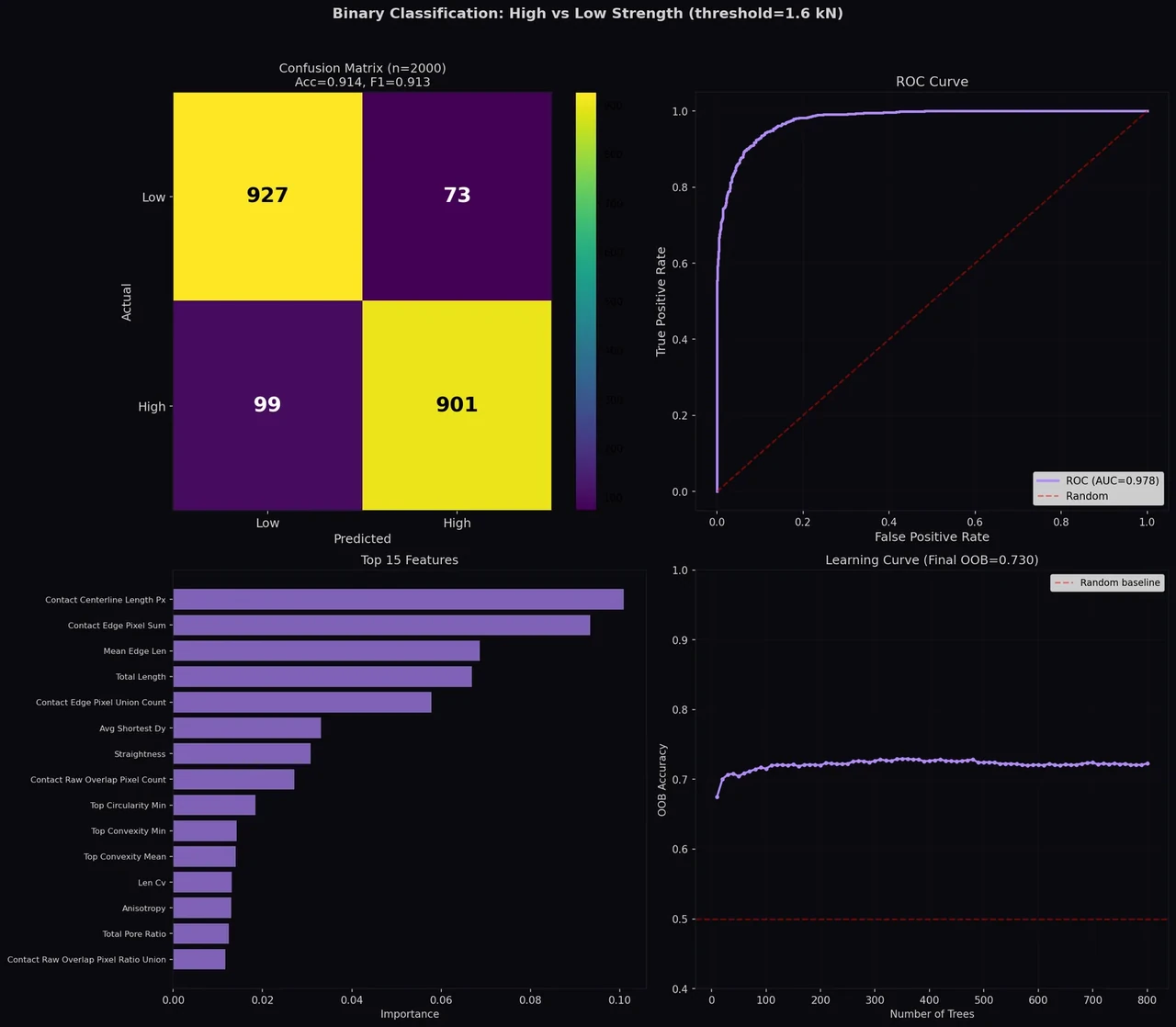
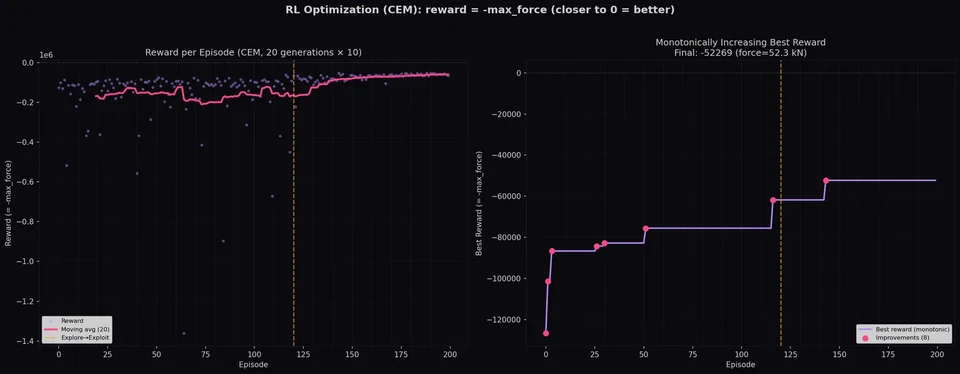
SnapshotFeatureExtractor analyzes planar snapshots; analyze_tensile_recruitment processes supplied edge-strain trajectories. Physical-label generation, regression, and target-curve search each have dedicated examples.
Geometric routes and export
The manufacturing geometry interfaces construct continuous routes on planar or curved surfaces and support custom cells. Solid and route exports use the corresponding optional dependencies, with coordinate units and route order managed alongside the inputs.
Structure and computation examples
2D structure gallery
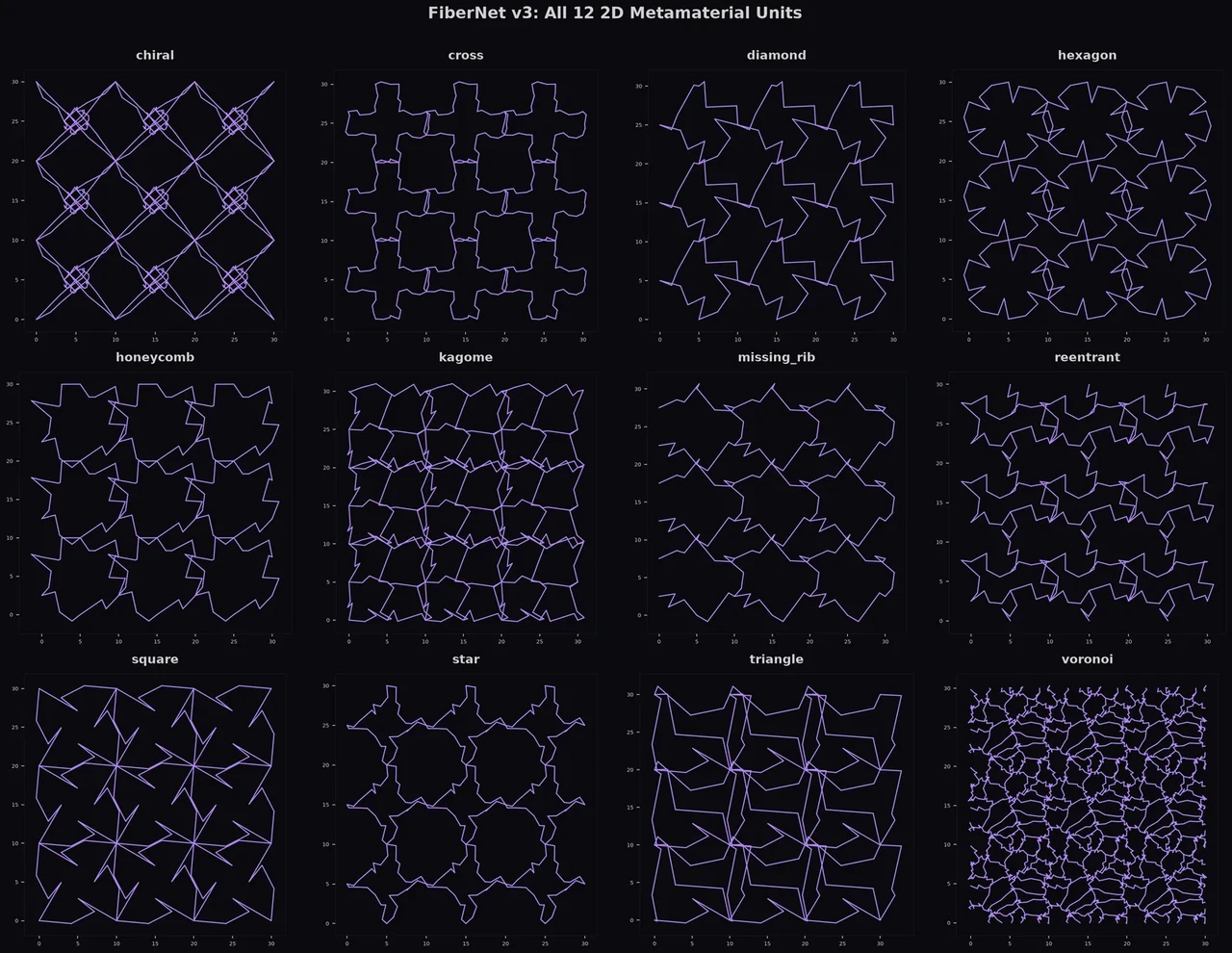
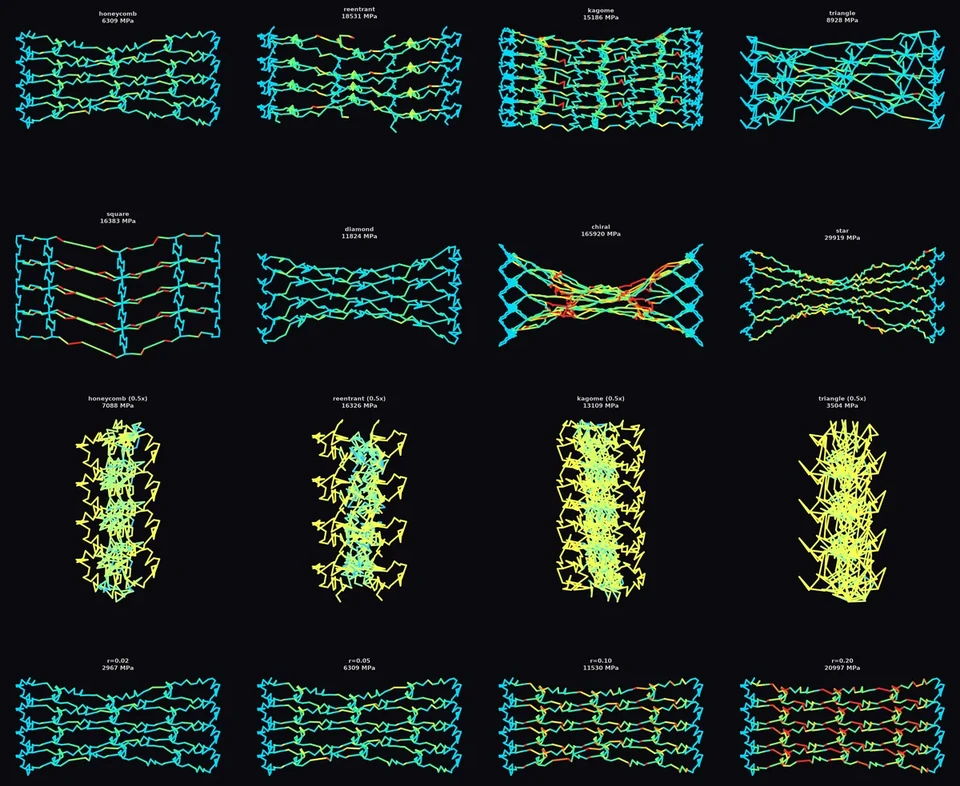
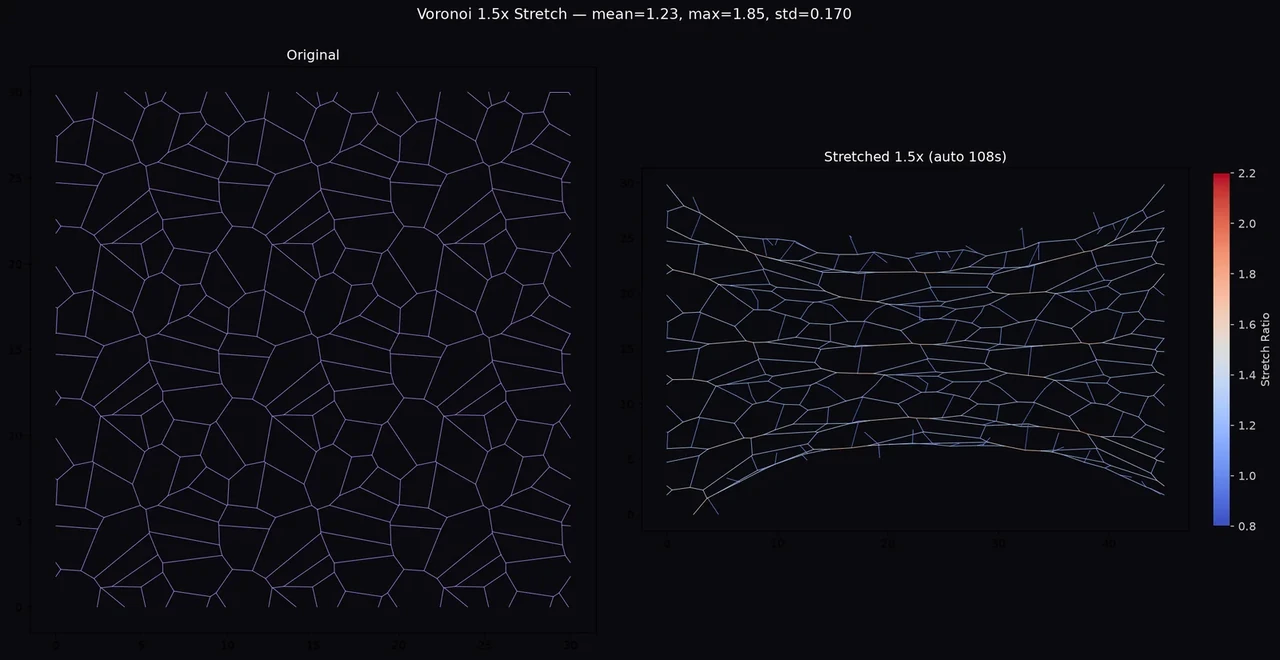
Mechanical-model figures
Learning and search figures